Shelves
Free. Everyone gets this.
Shelves are named groups of books, like “Book club”, “Stoics” or “Summer reading”. A book can sit on as many shelves as you like.
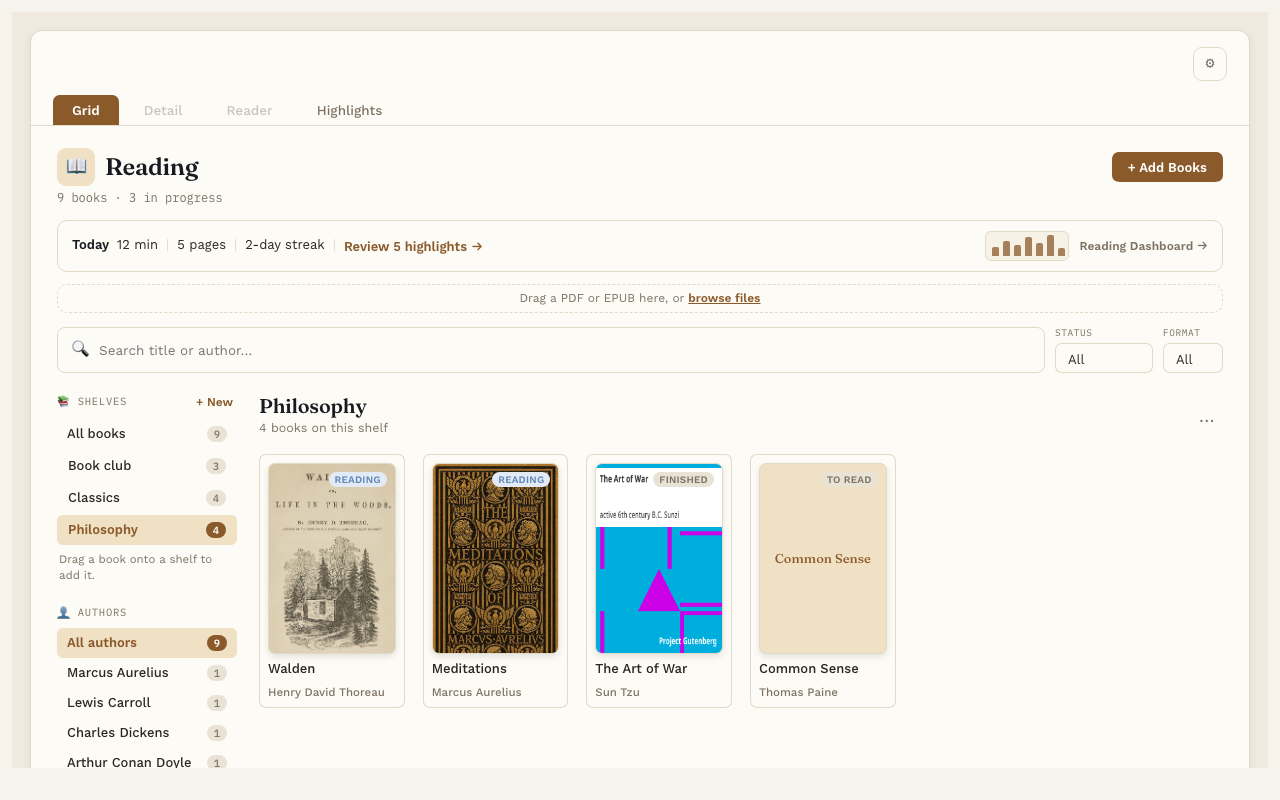
Make a shelf
- In the Library, find Shelves on the left, above Authors.
- Press + New.
- Type a name and press Enter.
Put books on a shelf
- Drag a cover onto a shelf’s name in the list.
- Or open the book’s page and use the Shelves row in the Details box.
Look at one shelf
Click a shelf’s name. The Library shows only the books on it. Click All books to see everything again.
Change the order
When you’re looking at one shelf, drag the covers into the order you like. Reading Vault remembers it. This is great for a series.
Rename or delete a shelf
Look at the shelf, then press ⋯ next to its name. Pick Rename shelf or Delete shelf.
Deleting a shelf never deletes a book. The books just stop being on that shelf.
Good to know
- Shelves are one level only. A shelf can’t hold another shelf.
- A book’s shelves are saved in its own note. If you type a shelf name into a book’s note by hand, that shelf shows up in the Library too.