Notes
Free. Everyone gets this.
Reading Vault gives you two places to write: notes on a whole book, and notes on a single highlight. Both are saved in your vault as regular notes.
Notes on a book
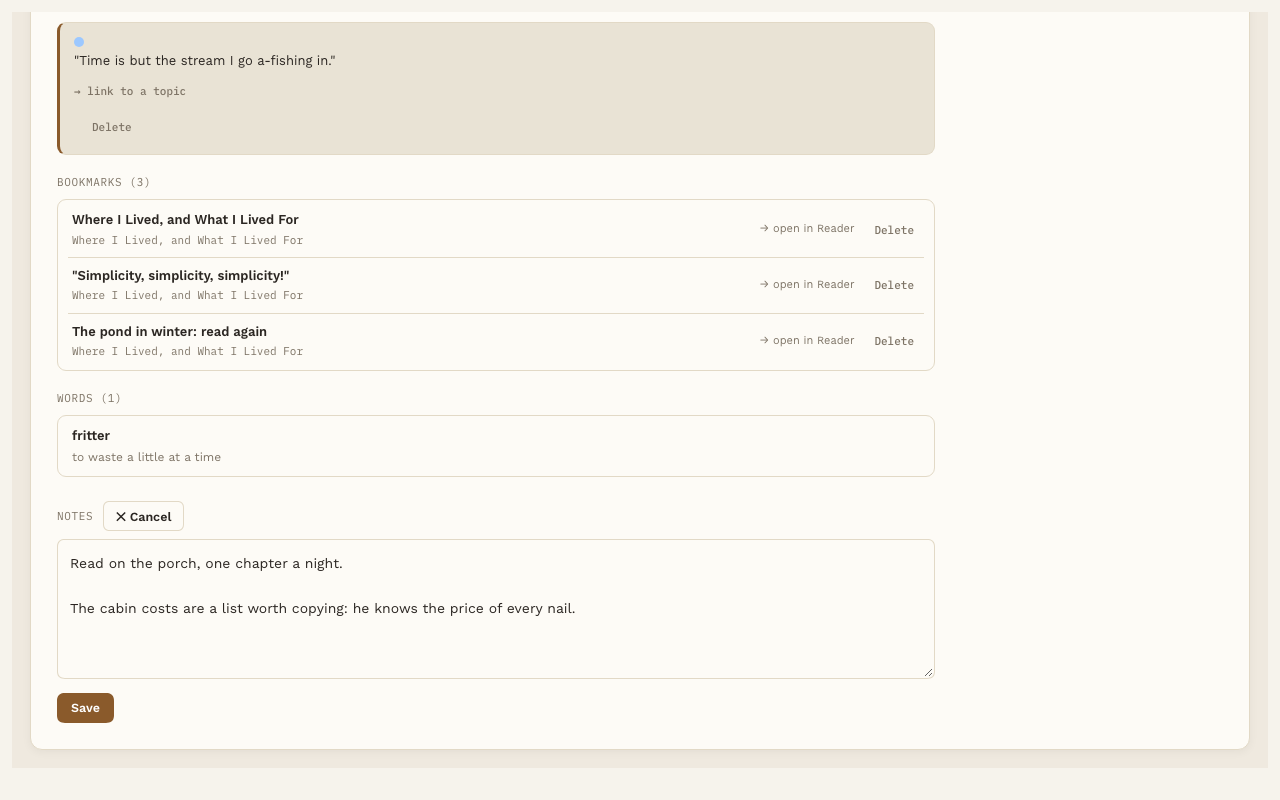
- Open the book’s page.
- Find Notes and press ✎ Edit.
- Write whatever you like, then press Save.
Your notes go in the book’s own note, under a “Notes” heading. You can also write there directly in Obsidian. Both ways work.
Notes on a highlight
Click any highlighted passage in the Reader, write in the Note box, and press Save note. See Highlights.
Your highlights, inside the book’s note
Below your notes, each book’s note gets a Highlights section that Reading Vault keeps up to date for you. For each highlight it shows:
- the passage and its color
- the chapter or page
- your note on it, if you wrote one
- a link that opens the Reader right at that spot
In Obsidian each highlight shows as a quote with a bar in its color. Inside the note file, one highlight looks like this:
> [!a4-hl-green]
> "Our life is frittered away by detail."

Where I Lived, and What I Lived For · p.15 · [Open in Reader](obsidian://open-reading-highlight?hl=...)

**Note:** My calendar, exactly.
Reading Vault only ever changes its own Highlights section. Your writing above it is left alone.
Turn it off
Go to Settings, then Reading Vault, and find Highlights in the book note under Reading. Turning it off stops future updates. It doesn’t remove a section that’s already there. If you turn it back on later, every book is brought up to date again.