Reading Dashboard
Pro. Part of Reading Vault Pro.
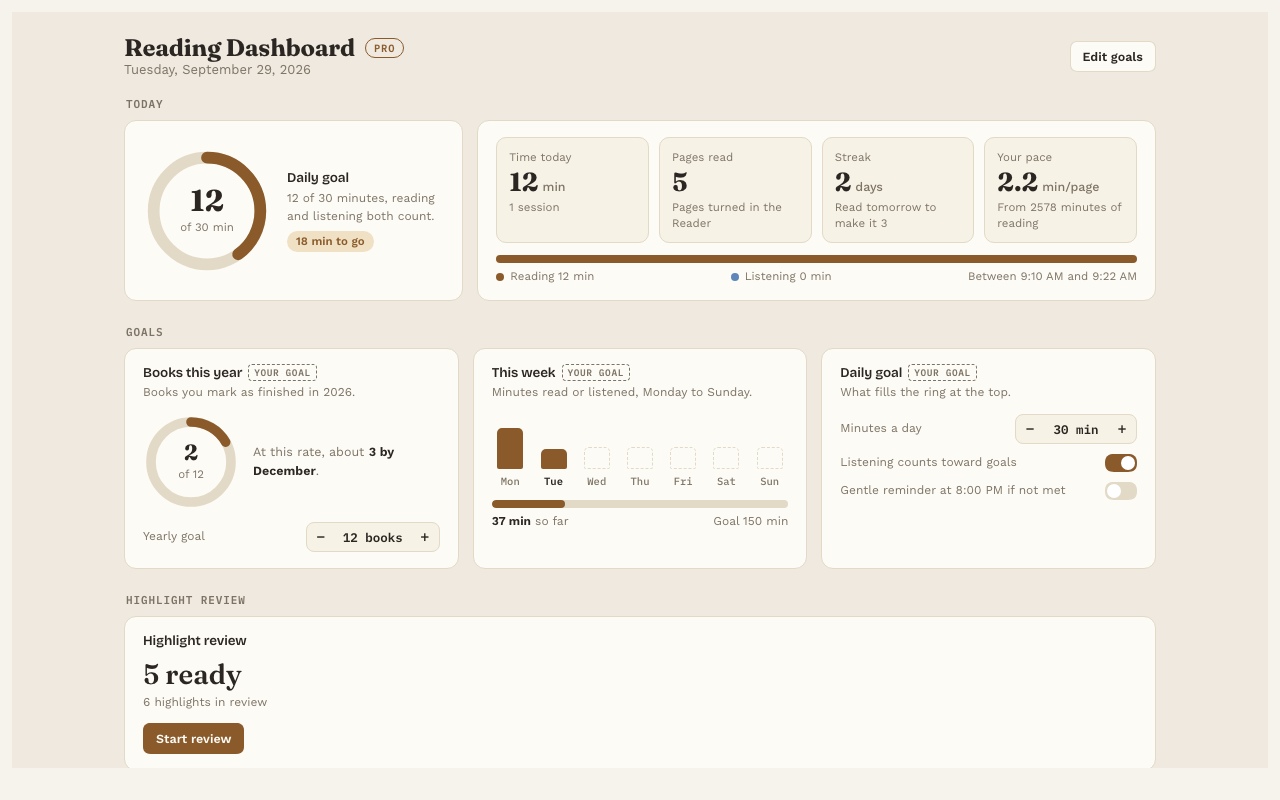
The Reading Dashboard shows your reading at a glance: today, your goals, your streaks and your habits over time. It fills in by itself as you read and listen.
Open it
- Press Reading Dashboard → on the Today line at the bottom of the Library.
- Or press the chart icon in the ribbon on the left of Obsidian.
- Or use the command “Open reading dashboard”.
What’s on it
- Today. Minutes, pages and your streak, with a ring for your daily goal.
- Daily goal, This week and Books this year. How you’re doing against each goal. Books this year estimates how many you’ll finish by December at your current pace.
- A reading calendar. Six months of days, darker on days you read more, so you can see your streaks.
- Charts for the last 30 days. Minutes per day (reading and listening), pages per day, and when in the day you read.
- Books in progress, with about how much time is left in each.
- Highlight review. A card that starts your daily review.
Set your goals
Press Edit goals to set minutes a day, minutes a week and books a year. You can also:
- Choose whether listening counts toward your goals.
- Turn on an Evening reminder. It’s a gentle note if you haven’t met your daily goal yet. It only shows while Obsidian is open.
Count a finished book
On a book’s page, press ✓ Mark as finished. It counts toward Books this year.
Good to know
- Your reading history is kept on your computer with the plugin’s settings, never in a note and never online.
- Only real reading counts. Flipping through pages quickly isn’t counted as reading.
- Without Pro, you still get the Today line in the Library.