Saving words
Pro. Part of Reading Vault Pro.
Found a word worth keeping? Save it, and it becomes a note in your vault, with its meaning and the sentence where you found it.
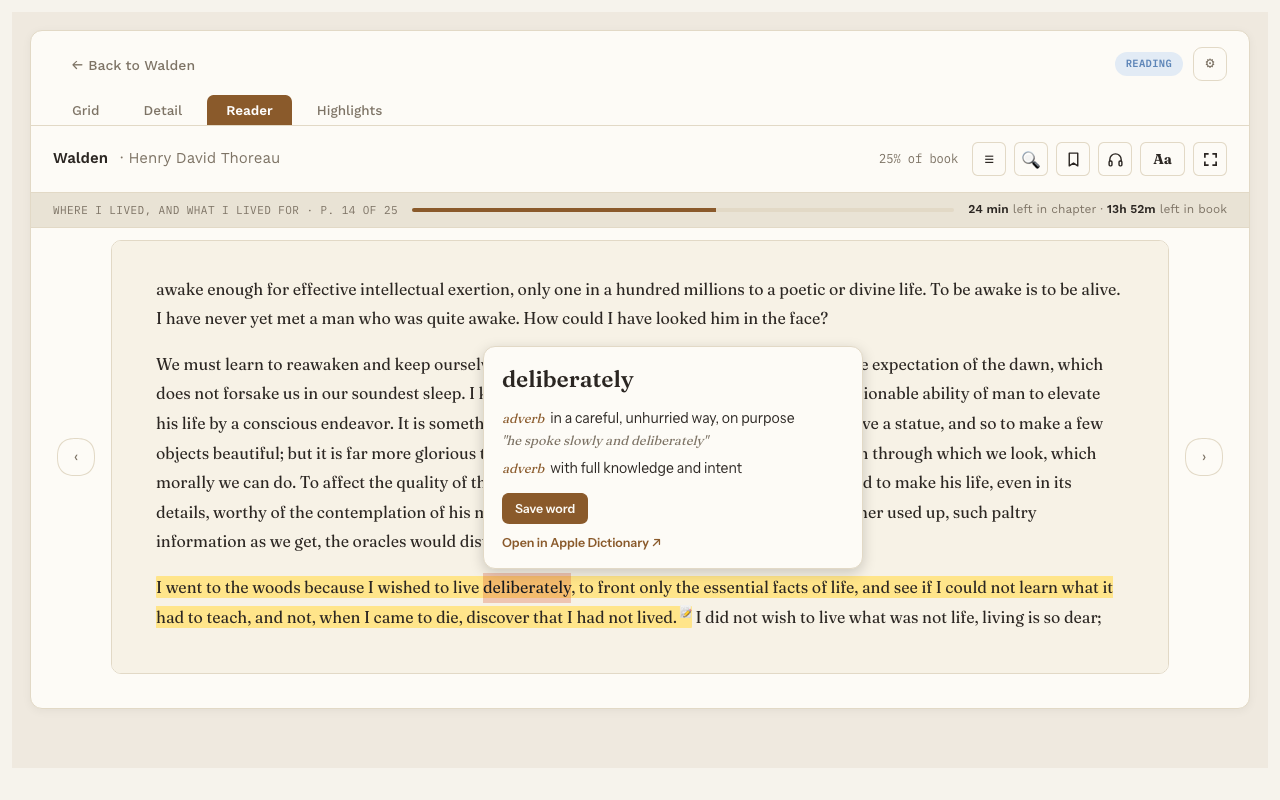
Save a word
- Look up a word. See Word lookup.
- On the lookup card, press Save word.
Reading Vault makes one note per word in a Words folder inside your Reading folder. The note has:
- the word and its meaning
- the sentence you found it in, with a link to the book
- the “Explain in this sentence” answer, if you asked for one
The same word in another book
Save a word you’ve already saved, from a different book, and that book’s sentence is added to the same note. The word then belongs to both books.
See your saved words
- On a book’s page, the Words list shows every word you saved from that book. Click one to open its note.
- All your words are regular notes in the Words folder, so you can search, link and review them like any other note.
Good to know
If Pro ever lapses, words you already saved stay saved. They’re your notes.