Linking highlights to Topic notes
Pro. Part of Reading Vault Pro.
This is where your reading meets the rest of your vault. Link a highlight to a Topic note, and the passage becomes part of what you know about that subject, right next to your other notes.
A Topic note is a regular note about one subject, like “Stoicism” or “Habits”. Reading Vault keeps them in your Topics folder.
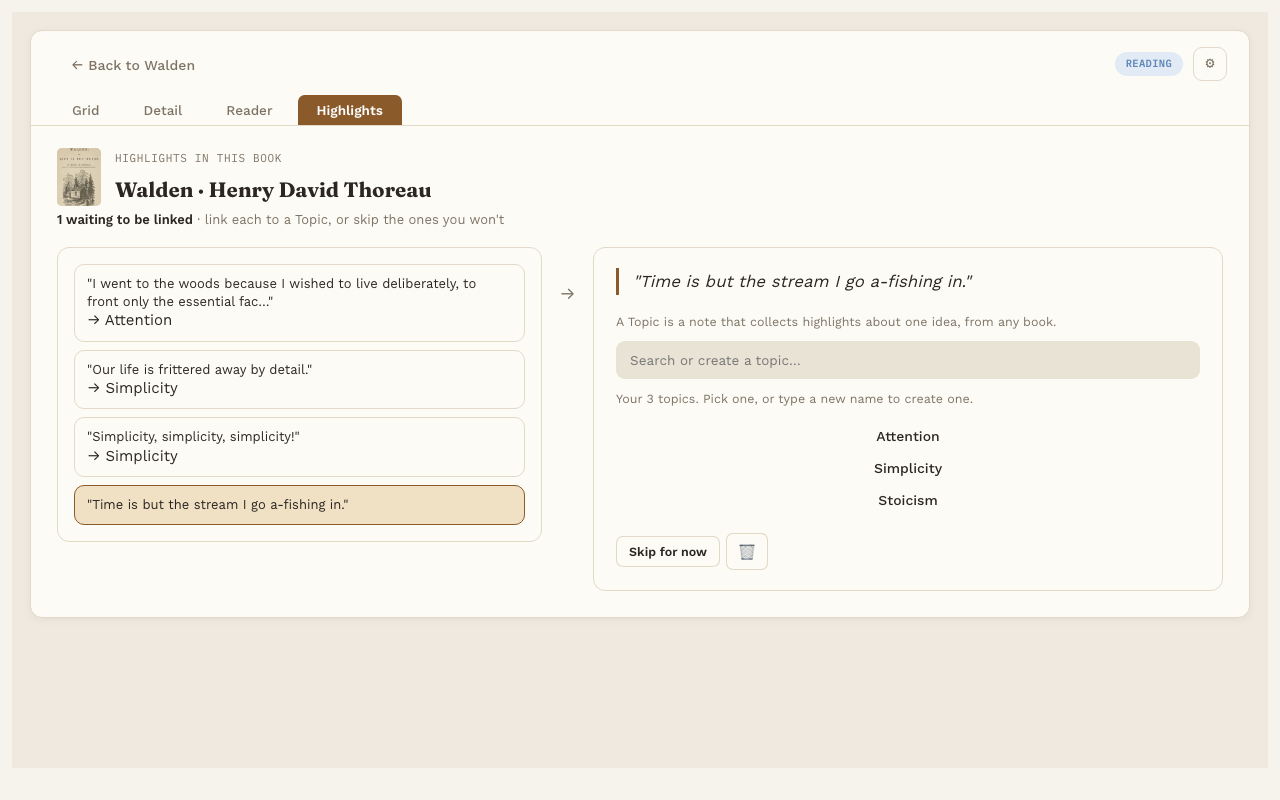
Link a highlight
- Open the Highlights tab at the top of Reading Vault.
- Pick a highlight from the list.
- Search for a Topic note you already have, or type a new name to make one.
- Pick it. The highlight is now linked.
Reading Vault adds a real Obsidian link from the highlight’s note to the Topic note. That means it shows up in the Topic note’s backlinks and in your graph.
Unlink or skip
- Unlink sends a highlight back to the list, so you can link it somewhere else.
- Skip for now skips a highlight you don’t want to link. It stays saved, it just leaves the list. 🗑 deletes it, after asking.
One book or everything
With a book open, the Highlights tab lists that book’s highlights. With no book open, it lists highlights from your whole library, each with a small cover so you know where it came from.
Good to know
- New Topic notes are made in the Topics folder you chose in Settings.
- Linked highlights are the ones that come back in Highlight review.