Reading Vault Pro
Pro. This page is about Pro itself.
Pro is a one-time payment. You get every Pro feature for life, including every future update. There’s no subscription.
What Pro adds
- Audiobook mode: listening keeps going across pages and chapters, each word lights up as it’s read, and a sleep timer
- Natural offline voices
- Linking highlights to Topic notes
- Highlight review
- Ask the book
- AI book summary
- Reading Dashboard
- Saving words, and “Explain in this sentence” in Word lookup
- Export highlights
- Reading Vault on your iPhone or iPad: on a phone or tablet, Reading Vault needs Pro, and the same license unlocks it
Everything else in this manual is free.
Get Pro
- Go to Settings, then Reading Vault. Pro license is at the top.
- Under Get Pro, press Buy Pro ↗. This opens my store, Workbench Goods, on Payhip.
- After you pay, you’ll get an email with your Pro key.
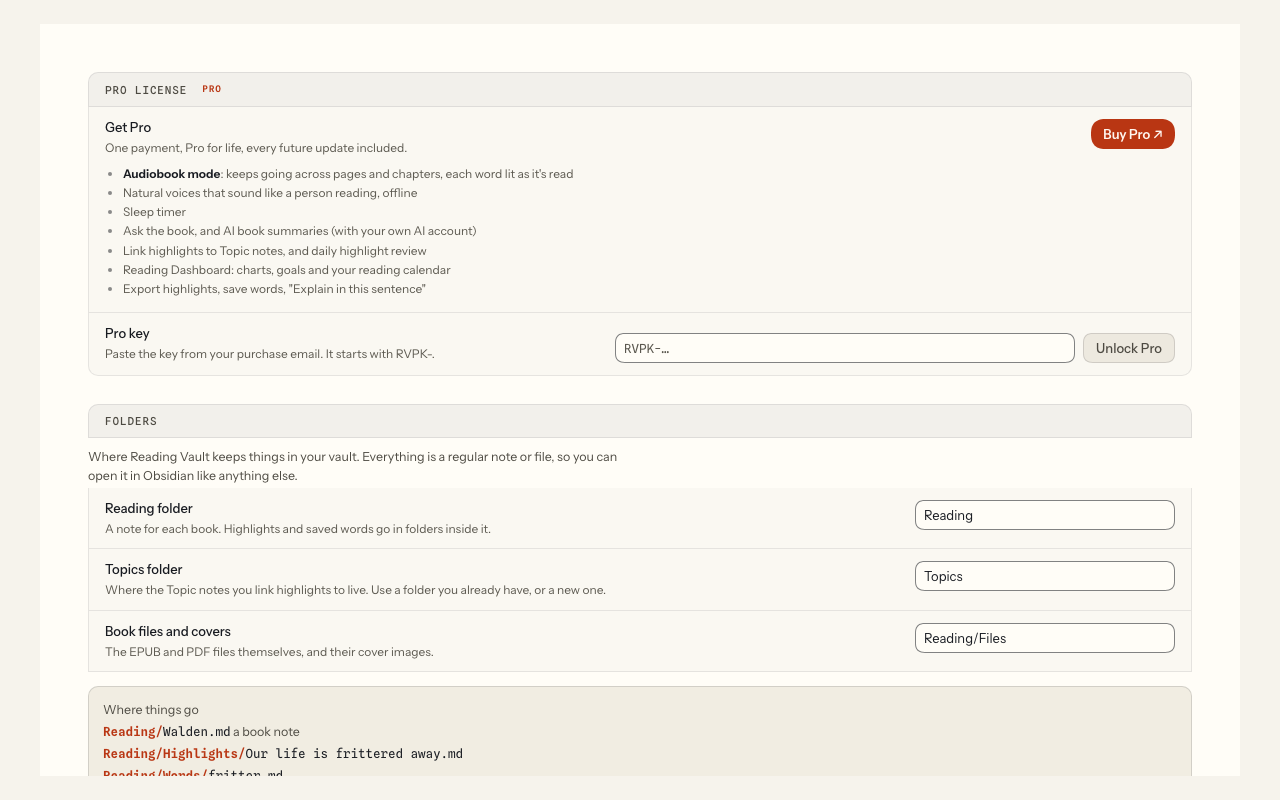
Unlock Pro
Unlock Pro on your computer. Your iPhone or iPad picks the key up with your vault, so you only do this once (see Reading Vault on your iPhone or iPad).
- Copy the key from your purchase email. It starts with RVPK-.
- Paste it into the Pro key box.
- Press Unlock Pro.
The section then says Pro is unlocked, with your key’s number, for example “Pro key #1042”.
Your key is checked on your own computer or phone. It never goes online, and it never expires.
If a key doesn’t work, a short message says why. Check you copied the whole key. If it still doesn’t work, write to me through the contact page, or email me at jhesch@gmail.com (the message shows the same address).
Moving to a new computer or phone
Your key works on your next computer or phone too. If it doesn’t come across with your vault, paste the same key again.
Remove key (in the Pro license section, it asks you to confirm) takes the key out of the vault’s plugin settings. Only use it on a device that no longer shares the vault: on a synced vault it turns Pro off on your other devices too.
Good to know
- Pro works on your computer and on an iPhone or iPad (iOS 17 or newer), with one license. On the phone, listening uses the phone’s own built-in voices; the natural voices are computer only. Tested on Mac and iPhone; Windows is untested. Android isn’t supported yet.
- If you remove your key, your notes, highlights and saved words all stay in your vault.